Choosing the best Storage Solutions in 2026 starts with a practical question: what must stay accessible, protected, and affordable? A garage needs different answers than a growing company’s cloud archive. Still, both depend on capacity, access, security, and room to expand. IDC’s 2024 Global DataSphere forecast projects that worldwide data creation, capture, and replication will reach 394 zettabytes by 2028. That projection is not a buying target. It does show why planning only for today can leave little room to grow.
For digital records, IBM’s 2024 Cost of a Data Breach Report found that the average breach cost reached $4.88 million across surveyed organizations. This is an organization-wide figure, not proof that any single storage product prevents loss. It does highlight the value of tested backups, access controls, and clear retention rules. For physical storage, compare usable dimensions, moisture conditions, retrieval time, and the full monthly cost—not just advertised capacity. Small details matter. A simple inventory of box sizes, document access needs, and expected growth can expose assumptions early. No option fits everyone. The strongest choice balances current volume and future demand with recovery needs, budget, and everyday convenience. This guide examines those trade-offs with practical criteria and evidence, while recognizing that forecasts and product claims cannot replace checking your own needs.
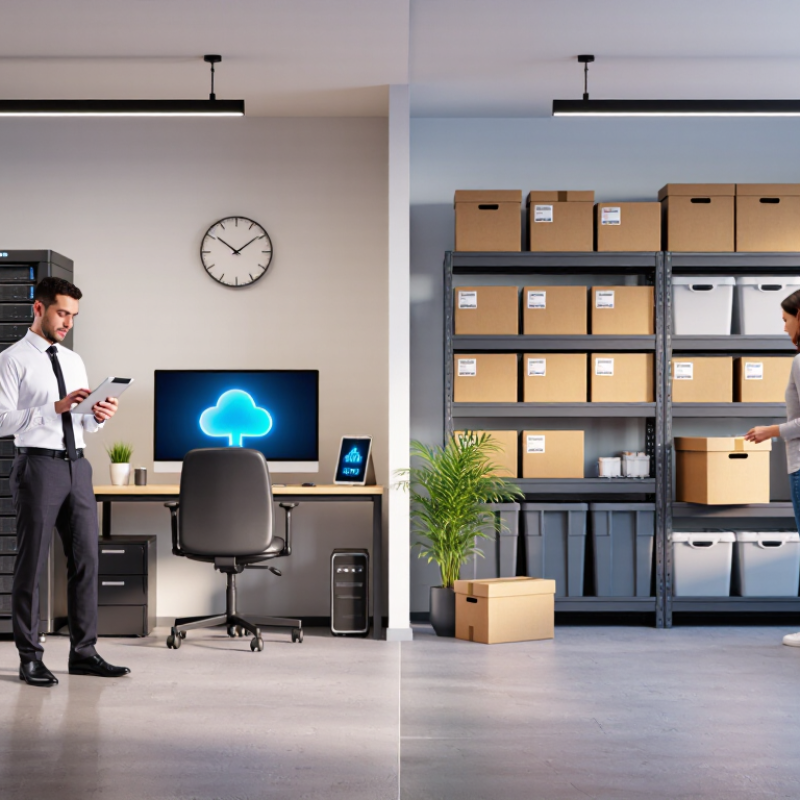
Start with what you actually need to store. Measure bulky items, count boxes, and separate everyday belongings from seasonal gear. A narrow hallway cabinet may solve a daily clutter problem; it will not hold camping equipment. Be specific.
In the United States, 11.1% of households rent self-storage, according to the Self Storage Association’s 2023 Fact Sheet. That figure signals demand, not a reason to rent more space than you need.
Measure the room before buying shelves or bins. Record ceiling height, door clearance, and awkward corners; a sketch on paper is often enough. Then set a full-year budget. Include delivery, assembly, installation, and any recurring rental fees, not just the listed price. Compare cost per usable shelf or cubic foot, and leave room for access: tightly packed boxes are hard to retrieve. A small mistake here.
Prioritize what must stay accessible. Keep frequently used items between waist and eye level, and place heavy containers on low shelves. Choose moisture-resistant materials for damp basements, and check weight limits before loading. Reassess after a few weeks; real use may reveal that your neat plan was too optimistic. Keep one shelf partly empty. That space is useful when needs change.
Choosing the best storage solution in 2026 means matching the format to what you store and how often you reach for it. Open shelves keep books and baskets visible, but collect dust and can look cluttered. Cabinets hide supplies and help limit dust, while drawers make small tools easier to sort. For items that move between rooms, lidded bins offer flexibility; label the front, not just the lid. Measure twice.
Material affects durability, weight, and upkeep. Solid wood can support substantial loads, but its weight and cost may not suit every room. Plywood is often lighter and more stable than low-grade particleboard, though edge finishes matter. Steel shelving handles heavy containers well, but can feel stark and may rust in damp spaces. Resin resists moisture and wipes clean, yet some units flex under heavy loads. Check the stated load rating and inspect how shelves attach to the frame.
Configuration should fit both the room and your routine. Tall shelving uses floor space efficiently, but frequently used items belong within comfortable reach. Wall-mounted systems free up the floor; confirm that the wall and fixings can safely support the load. Freestanding cabinets are easier to rearrange, though doors need clearance. A mixed setup can work best: drawers for small parts, open shelves for daily-use items, and closed storage for seasonal gear. I’d still leave some empty capacity; storage plans rarely stay perfect.
How to Choose the Best Storage Solutions in 2026
Assess capacity by usable space, not the largest number on a product sheet. For physical storage, leave room for airflow and safe handling; for digital systems, include backups and future growth. A packed shelf or nearly full drive can turn routine retrieval into a delay. Small is not always safer. Match access to how often items are needed: keep daily-use files or supplies close, and archive rarely used material in clearly labeled locations.
Security and durability need practical checks. Limit access by role, review permissions, and test recovery plans rather than assuming backups work. IBM’s 2024 Cost of a Data Breach Report estimated the global average breach cost at $4.88 million, underscoring the value of protecting sensitive information. For physical storage, check load limits, corrosion resistance, and exposure to moisture or heat. One planning flaw is focusing on purchase price while overlooking maintenance and replacement. That deserves a second look.
Tips: Measure the actual footprint, label contents and review dates, and test retrieval before committing. For digital storage, restore a sample backup; for shelving, inspect a loaded unit for wobble. Test restores.
Native capacity is the uncompressed capacity specified for each LTO generation. Higher capacity can suit large archives, but tape is generally better for sequential access than frequent random access. Also assess retrieval needs, encryption and access controls, and storage conditions before choosing a solution. Source: LTO Ultrium format generation specifications.
How to Choose the Best Storage Solutions in 2026
A smart feature should solve a real, recurring problem. For example, a humidity sensor can help protect linens in a damp basement, while an inventory app may save time in a crowded pantry. Check whether alerts are clear and whether basic functions still work without an internet connection. Convenient features are not automatically useful. A glowing dashboard cannot make a poorly sized cabinet fit.
Sustainability takes more than recycled packaging. Look for sturdy materials, replaceable parts, and finishes that can handle everyday cleaning. Ask how shelves attach and whether common hardware can be replaced. A scratched door should not make the whole unit disposable. Still, recycled materials may vary in strength, and claims can be hard to compare. Read the details, not just the label.
Long-term cost includes delivery, assembly, cleaning, and repairs. A low purchase price may hide fragile hinges or awkward custom fittings. Measure the space, including doorways and the route into the room, before ordering. Then compare the expected lifespan with the cost of replacement parts. I would also leave room in the budget for one mistake; measurements are easy to misread. The best choice is often the one that stays useful after your needs change.
| Storage solution | Typical initial cost (USD) | Smart features | Sustainability considerations | Illustrative 5-year cost | Best suited for |
|---|---|---|---|---|---|
| Cloud storage subscription | Usually no dedicated hardware; commonly about $5–$10 per month for a consumer plan with roughly 1–2 TB, depending on provider and region. | Automatic syncing, file sharing, version history, and access across internet-connected devices. Features vary by plan. | Avoids buying and powering a personal storage device, but data centers use electricity and cooling. Environmental impact depends on the provider’s energy mix and efficiency. | About $300–$600 in subscription fees at $5–$10 per month; prices and plan limits can change. | People who need convenient off-site access, sharing, or automatic synchronization. |
| Two-bay NAS with drives | Approximately $250–$500 for an entry-level enclosure and two drives; capacity and drive choice substantially affect the total. | Can provide local network access, automated backups, user accounts, and remote access. Setup, maintenance, and security updates are the owner’s responsibility. | Hardware can be reused and expanded, but it consumes electricity continuously if left on. RAID can help maintain availability but is not a substitute for a separate backup. | Roughly $320–$710, including an estimated $70–$210 of electricity over five years at 10–30 W average draw and $0.16/kWh. Excludes internet, replacement drives, and labor. | Households or small teams needing shared local storage and control over their files. |
| External hard drive (HDD) | Often about $60–$120 for a consumer drive in the 2–5 TB range; capacity, portability, and ruggedness affect price. | Generally basic plug-and-play storage. Backup automation may be available through operating-system or third-party software. | Offers substantial capacity per device and uses little power when disconnected. Mechanical parts are sensitive to impact, so careful handling can help extend useful life. | About $60–$120 if one drive lasts the full period; allow for replacement if it fails or capacity needs grow. A single drive is not a complete backup strategy. | Infrequent backups, archives, and moving large files at a relatively low cost per terabyte. |
| External solid-state drive (SSD) | Often about $70–$150 for a consumer 1 TB portable SSD; speed, durability, and interface affect price. | Typically supports fast file transfers and portable use. Encryption and backup tools depend on the device and software. | No moving parts and low operating power make it convenient for mobile use. Like other electronics, it requires responsible recycling at end of life. | About $70–$150 if retained for five years; replacement cost depends on use, drive health, and capacity needs. | Travel, frequent transfers, and users who prioritize speed and shock resistance over the lowest cost per terabyte. |
| Hybrid approach (local drive plus cloud backup) | Typically combines the cost of an external drive with a cloud subscription; the total depends on capacity and plan. | Combines fast local access with off-site copies and may support automatic backup scheduling. Check encryption, retention, and recovery options. | A local device can be powered down between backups, while cloud storage adds data-center demand. Keeping hardware in use longer and avoiding duplicate unnecessary copies can reduce waste. | Illustratively about $360–$720 over five years, using a $60–$120 drive plus a $5–$10 monthly subscription; excludes replacements and price changes. | Important files that need both convenient recovery and protection against device loss or damage. |
Cost figures are approximate consumer-market estimates in USD for comparison, not quotes. Actual prices vary by country, capacity, plan, electricity rate, taxes, and usage. Review current terms, backup and recovery options, privacy settings, and recycling facilities before choosing.
Choose storage in 2026 by the items you actually keep, not by a photo of a perfect closet. Measure coats, bins, and doorways; a shelf that cannot pass through the hall is wasted space. Check load ratings, wall type, moisture, and whether doors can open fully. Measure twice. The Self Storage Association’s 2023 Demand Study reports that 11.1% of U.S. households rent self-storage. That figure signals common space pressure, but it does not mean an external unit is right for every home.
Tips: Mark shelf positions with painter’s tape before drilling. Use a level, suitable anchors, and the manufacturer’s load limit. Keep heavy boxes low. Secure tall units to studs where possible. The U.S. Consumer Product Safety Commission’s Anchor It! guidance warns that unsecured furniture can tip and injure children.
Review the setup after two weeks, then again each season. Note what stays hard to reach, what collects dust, and which containers are awkward to lift. A clear label helps, but it cannot fix a shelf placed too high. Adjust one problem at a time; changing everything at once makes it harder to tell what worked. If the room feels crowded despite careful planning, the original storage plan may simply be wrong.
List what you need to store, separating daily items from seasonal gear. Measure bulky items and set a full-year budget.
Measure the room, ceiling height, doorways, and awkward corners. Leave space to walk and retrieve boxes. A quick sketch helps.
Keep everyday supplies between waist and eye level. Put heavy containers on low shelves, and leave one shelf partly empty.
Compare usable space, not just the largest listed capacity. Leave room for airflow and handling. A tightly packed shelf gets frustrating.
Check weight limits, stability, and resistance to moisture or corrosion. Load it, then look for wobbling. Don’t skip that check.
Limit access to people who need it, review permissions, and test backups by restoring a sample file. A backup that fails is no backup.
Choose features that solve a repeated problem, such as tracking pantry items. Check whether basic functions work without internet access.
Look for sturdy materials, replaceable parts, and finishes that handle regular cleaning. Recycled materials can vary in strength, so inspect the details.
Include delivery, assembly, installation, cleaning, repairs, and replacement parts. Leave some budget for a measurement mistake; it happens.
Choosing the best Storage Solutions in 2026 starts with understanding what you need to store, how much space is available, and what your budget allows. Compare different storage types, materials, and configurations to find an option that fits your room and everyday routines. Consider whether shelves, cabinets, drawers, or a combination will make items easier to organize and use.
Before deciding, assess capacity, accessibility, security, and durability, then weigh useful smart features and sustainable materials against their long-term costs. A solution should be practical now and adaptable as your needs change. Once you have compared your options, choose and install the setup that best balances function, cost, and available space. Review it over time and adjust the arrangement if it no longer serves you well.

Xinyi Racking